Skip to content

Tony Perez

Tony Perez

  • Home
  • Posts
  • Tools
    • Palworld Progress Tracker
    • Currency Converter
    • Hex to RGB Converter
    • Weight Converter
    • Word & Character Count
  • Ultra Fast UK Web Hosting
  • Home
  • Posts
  • Tools
    • Palworld Progress Tracker
    • Currency Converter
    • Hex to RGB Converter
    • Weight Converter
    • Word & Character Count
  • Ultra Fast UK Web Hosting
Quick Reads
  • TikTok LIVE Studio keeps redownloading 700mb+
  • Fix ‘Purchase Call of Duty Black Ops 6 to have access to everything’ error on Game Pass
  • Complete List of iOS 26 Features & Changes
  • Bypass Radio Garden Block In The UK
  • How To Play OSRS In Fullscreen (RuneLite)
  • How To Export Your Amazon Orders To Excel
  • Automatically Post OSRS Notifications To Discord
  • How To Add Image Borders To Ivanti Knowledge Base Articles
  • How To Fix Fishing Bug in Palia
  • New Microsoft Teams Suddenly Crashing During Calls or Meetings
  • How To Find Full Network Path Of Mapped Drive
  • Quick Guide to Restore Corrupt World Save in Palworld
  • Palworld Progress Tracker – 300+ Completionist Achievements
  • How To Save Existing Table Style In Microsoft Word
  • CSM Option Greyed Out in BIOS
  • Orange DRAM Light, No Display
  • Fix Fire Stick Bluetooth Audio Delay (Alexa)
  • How To Pause Task Manager
  • OW2 Fix: Health Bars Disappeared While Healing
  • Outlook Automatically Creates Teams Meeting When Inviting Attendees
Home>Guide>Gaming>Fix ‘Purchase Call of Duty Black Ops 6 to have access to everything’ error on Game Pass
Gaming

Fix ‘Purchase Call of Duty Black Ops 6 to have access to everything’ error on Game Pass

Tony
March 15, 2026

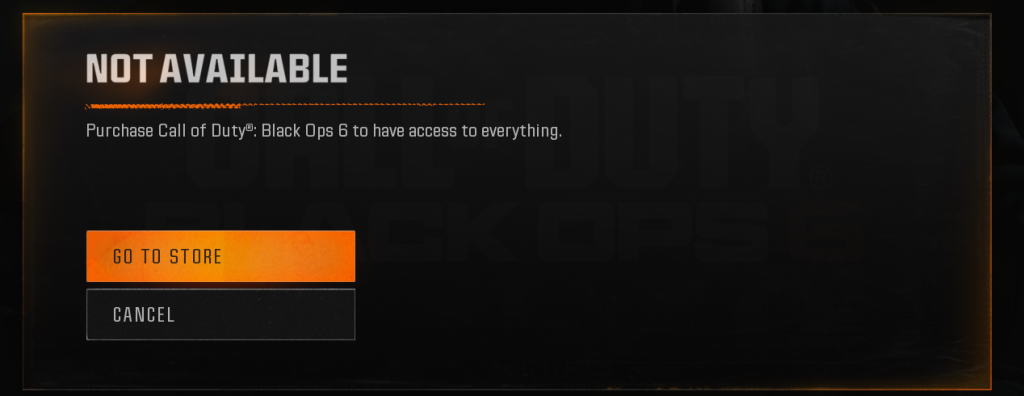
If you receive the above error when launching Black Ops 6 via the Xbox app on PC, and you have a valid subscription to Game Pass, do the following (this resolved it for me and my friend). This works as of 15th March 2026.

  1. Close Call of Duty.
  2. Type wsreset.exe in either the Start Menu or the Windows Key + R dialog box and press Enter.
  3. Close the Microsoft Store and reopen the game.

I’ve confirmed that this worked for both my friend and I, after battling with it for a while. Resetting the Windows Store seems to cause it to sync properly again. Logging out and in to the Xbox app will not fix it.

Related Articles

How to improve Counter Strike Global Offensive frames per second Gaming

Improve CSGO FPS Using NVIDIA Control Panel & Inspector

Gaming

How To Play OSRS In Fullscreen (RuneLite)

Gaming

OW2 Fix: Health Bars Disappeared While Healing

Gaming

Quick Guide to Restore Corrupt World Save in Palworld

Gaming

Automatically Post OSRS Notifications To Discord

Latest Posts

  • TikTok LIVE Studio keeps redownloading 700mb+
  • Fix ‘Purchase Call of Duty Black Ops 6 to have access to everything’ error on Game Pass
  • Complete List of iOS 26 Features & Changes
  • Bypass Radio Garden Block In The UK
  • How To Play OSRS In Fullscreen (RuneLite)
  • How To Export Your Amazon Orders To Excel
  • Automatically Post OSRS Notifications To Discord
© 2026 Tony Perez | WordPress Theme Ultra Lite